
Gemini Crypto App for Beginners Get Started Safely
It’s 2026, and you’ve heard a lot about cryptocurrency. Maybe friends are talking about Bitcoin, or you’ve seen news about digital money. It all sounds exciting, but also a bit confusing, right?

You might be wondering: Where do I even begin? Is it safe? How do I make sure I don’t get scammed?
This guide is for you, the true beginner. We’re going to talk about the Gemini crypto app.

Think of the Gemini crypto app as a friendly helper that makes it easier to step into the world of digital money. Many people find it very easy to use, especially when they are just starting out and want to buy their first crypto like Gemini Bitcoin or Ethereum quickly [1, 3].
We know you have big questions. You might worry about security and keeping your money safe. You probably want to understand what fees you might pay. And, of course, everyone wants to avoid scams that unfortunately exist in the crypto space. Here’s the thing: you’re not alone in these worries. This guide will walk you through everything step by step. We’ll show you how to use the Gemini crypto app safely and confidently. You’ll learn the basics without all the complicated words.
We want to build your trust in learning about crypto. By the end, you’ll feel much more comfortable taking your first steps. For even more helpful tips and guidance, especially on staying safe, you might want to subscribe to the free Clicks and Trades newsletter which offers simple, clear advice.

It’s a great way to keep learning at your own pace. If you want to understand more about what cryptocurrency actually is before diving into an app, you can also check out our simple guide on what is cryptocurrency.
Ready to begin your journey with the Gemini crypto app? We promise to make it easy to follow, so you can feel good about learning something new.
For more step-by-step crypto education, safety tips, and clear guidance, consider signing up for the free Clicks and Trades newsletter today.
What the Gemini Crypto App Actually Does (Plain Terms)
Okay, so what exactly does the Gemini crypto app do for you? Think of it like a special bank account, but for digital money instead of regular cash. This app is built to make it super simple for new people to get started with cryptocurrency. Many folks say it’s very easy to use, especially if you’re just dipping your toes in the water [1, 8].
Here’s the main idea: the Gemini crypto app helps you buy, sell, and keep your digital money safe.
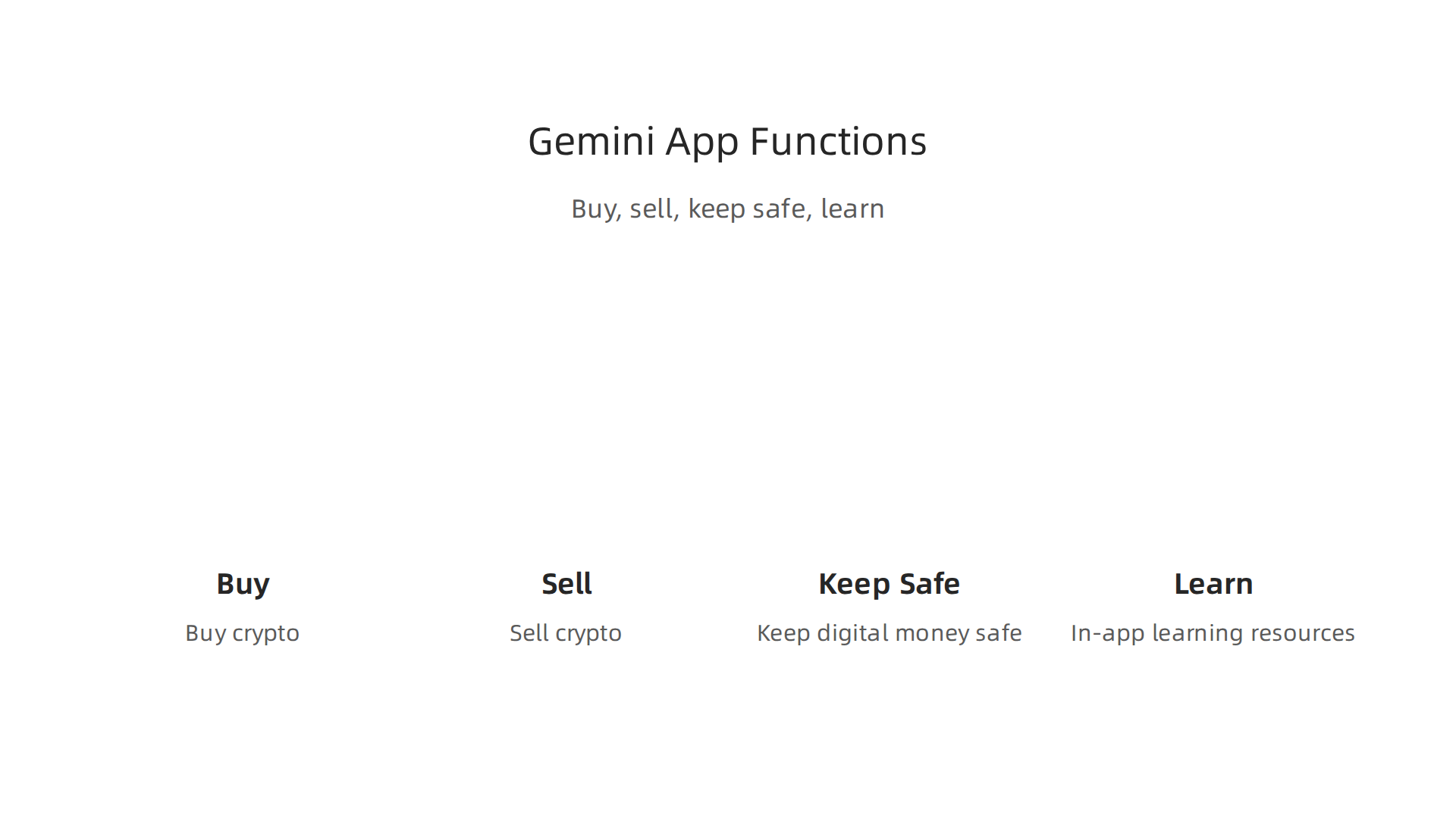
- Buying and Selling Crypto: The biggest thing you’ll do with the Gemini crypto app is buy cryptocurrencies. You can easily buy popular ones like Gemini Bitcoin and Ethereum with just a few clicks [1, 3]. It works like buying something online. You connect your bank account, choose how much crypto you want, and the app does the rest. When you want to sell, it’s just as simple.
- Keeping Your Crypto Safe (Custody): Once you buy crypto, the Gemini app keeps it safe for you. This is called "custody" in the crypto world. Think of it as a secure vault. Gemini works hard to protect your digital money, making sure it’s stored safely [12].
- Learning as You Go: The app also wants you to understand what you’re doing. It has helpful parts like "Cryptopedia" where you can read up on Bitcoin and other crypto basics [7]. This means you can learn about different types of crypto right inside the app. For more general learning before you jump in, you might also like our guide on crypto for beginners: what nobody tells you before you start.
Who is the Gemini Crypto App For?
The Gemini crypto app is truly designed for beginners. If you’ve never owned crypto before, this app is a great place to start [1, 2]. It helps you make your first purchase without feeling overwhelmed. While it also has tools for more experienced traders, its clean look and simple steps are perfect for someone new to the crypto world [3, 8]. The goal is to make it easy to manage your Gemini Bitcoin and other digital assets.
Your First Steps: Security and Verification
Before you can start buying or selling, the Gemini crypto app needs to know who you are. This is called "Know Your Customer" or KYC. It’s a very important step for your safety and for following the law [9, 14]. All trusted financial apps, not just crypto ones, ask for this.
Here’s what you should expect:
- You’ll need to provide some personal information, like your name, address, and maybe a photo ID.
- This process helps stop bad actors and keeps everyone’s money safer [9, 10]. It’s a way for the app to make sure you are really you and not someone trying to use your identity.
- Once your account is set up and verified, your Gemini status will show you’re ready to trade.
Taking these security steps might seem like a lot, but they are there to protect you. They help make the crypto world a more trustworthy place for everyone. For more safety advice and clear guidance in the world of crypto, remember to subscribe to the free Clicks and Trades newsletter. It’s packed with simple, clear tips.
For more step-by-step crypto education, safety tips, and clear guidance, consider signing up for the free Clicks and Trades newsletter today.
Step-by-step: creating and verifying your Gemini account (with safety checkpoints)
Setting up your account on the gemini crypto app is made to be simple, even if you’re new to digital money.
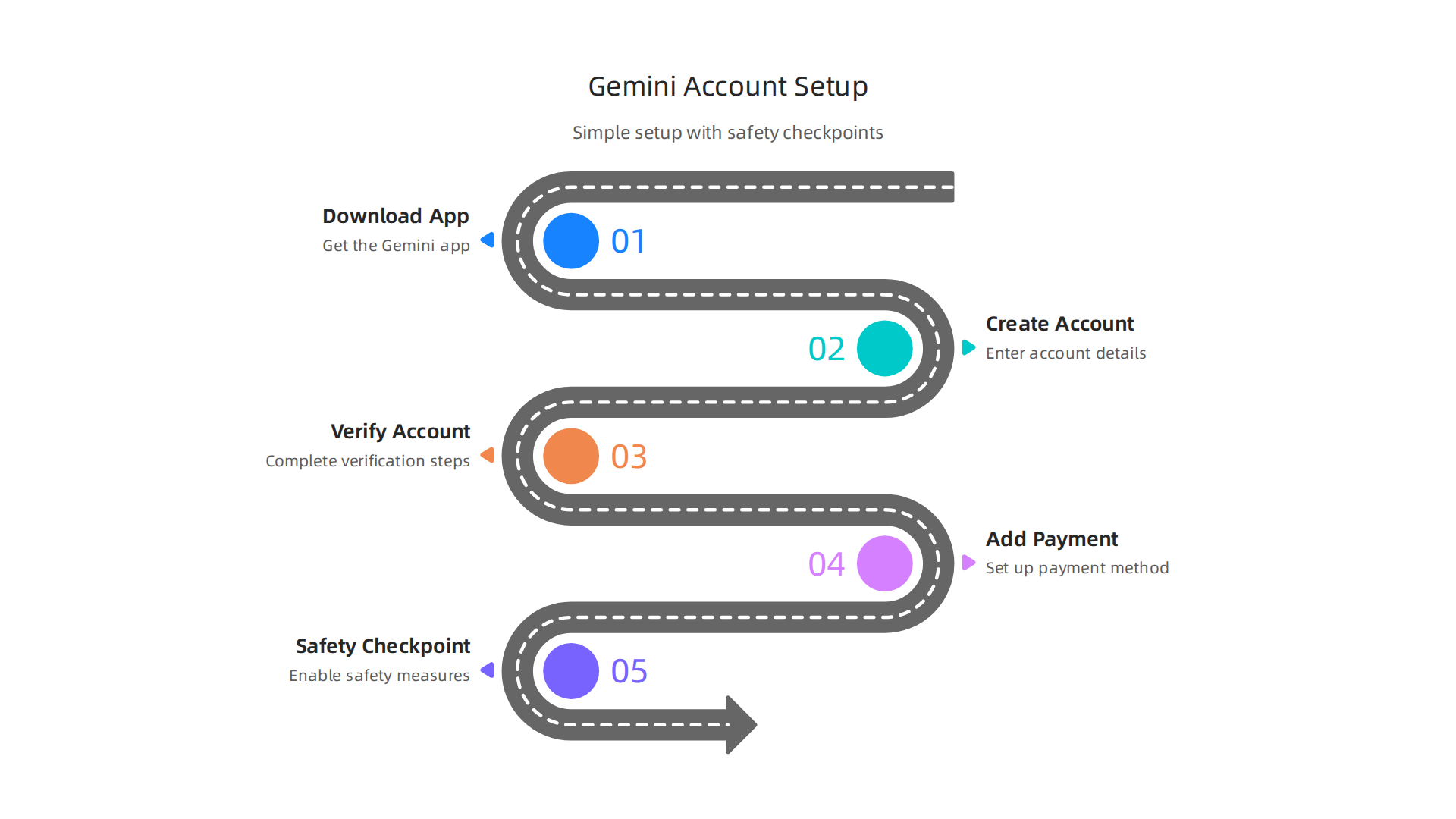
Remember, the earlier section talked about how Gemini needs to know who you are to keep your money safe. This part walks you through exactly how to do that, step by step. Safety is key here.
1. Download the Official Gemini Crypto App
First things first, you need to get the real Gemini app.
- Go to your phone’s app store (like Google Play or Apple App Store).
- Search for "Gemini: Buy Crypto & Bitcoin" and make sure it’s the official app from Gemini Space Station LLC [4]. This stops you from downloading fake apps that try to steal your information.
2. Create Your Basic Account
Once you have the app, open it up.
- You’ll see a button to "Get Started" or "Sign Up". Tap that.
- You’ll need to enter your email address and create a strong password. A strong password means using a mix of big letters, small letters, numbers, and symbols. Write it down somewhere safe, not on your computer or phone.
- Gemini will then send an email to you to check that your email address is real. Click the link in that email to confirm.
3. Verify Your Identity (KYC Steps)
This is a very important part for your safety. Gemini, like other trusted money apps, needs to confirm who you are before you can buy gemini bitcoin or any other crypto [2]. This is often called "Know Your Customer" or KYC.
- You’ll be asked for personal details like your full name, date of birth, home address, and phone number.
- You’ll also need to provide a picture of a government ID, like your driver’s license or passport. Sometimes, they might ask for a selfie to match your face to your ID.
- Gemini uses these steps to make sure you are really you and to follow rules that help stop bad money dealings [9]. After you send in your details, there will be a short wait while Gemini checks everything. Your
gemini statuswill change once you’re fully verified and ready to trade. Many trusted platforms follow similar steps, as you might see when comparing the Crypto.com app for beginners: your simple guide to investing safely.
Safety Checkpoint: Avoiding Fake Websites and Phishing
While signing up, always double-check the website or app.
- Official App: Only use the app store for downloads, not links from random emails or social media.
- Website Address: If you’re using a computer, make sure the website starts with "https://" and has a padlock symbol. The address should be
gemini.com. Be very careful of small spelling changes. Fake sites might look real but are designed to steal your info. - Emails: Gemini will only email you from official addresses. They will never ask for your password in an email.
4. Set Up Your Payment Method
After your identity is verified, you can link how you’ll pay for crypto.
- The
gemini crypto applets you connect your bank account or debit card [1]. This is how you’ll put regular money into your Gemini account to buy crypto. - Follow the simple steps to link your bank account. You might need your bank’s login info or account and routing numbers.
- Tip for Beginners: Start small. When you make your first deposit, don’t put in a lot of money. You can usually deposit a small amount, like $10 or $20, to test it out. Then you can buy a tiny bit of
gemini bitcointo see how it works [1].
Once these steps are done, your Gemini account is ready. You can now explore the world of crypto with the assurance that your account is set up securely. For more clear advice on navigating the crypto world safely, consider subscribing to the free Clicks and Trades newsletter. It’s full of simple, helpful tips for beginners.
For more step-by-step crypto education, safety tips, and clear guidance, consider signing up for the free Clicks and Trades newsletter today.
Now that your Gemini account is all set up and verified, it’s time for the exciting part: actually buying and selling crypto. Don’t worry, the gemini crypto app makes this simple too.

We’ll walk you through how to make your first trade and understand what you’re seeing.
Finding Your Way Around the App to Buy and Sell
When you open the Gemini app, you’ll see your dashboard. This usually shows you a quick look at your account and the prices of different cryptocurrencies.
- To buy or sell: Look for clear buttons or tabs that say "Buy" or "Sell." These are usually easy to spot on the main screen or at the bottom navigation bar of the
gemini crypto app. - Choosing what to trade: Once you tap "Buy," you’ll see a list of cryptocurrencies available. You can search for specific ones, like
gemini bitcoin.
Setting Your Order and Understanding Prices
This is where you tell the app what you want to do.
- Pick your crypto: Let’s say you want to buy
gemini bitcoin. Select Bitcoin from the list. - Decide how much: You can usually choose to buy a set amount of crypto (like 0.001 Bitcoin) or a set dollar amount (like $10 worth of Bitcoin). For beginners, it’s often easier to pick a dollar amount.
- Get a quote: Before you buy, the app will show you a "quote." This is the price Gemini offers you right at that moment. Crypto prices change very fast, so this quote is good for only a few seconds.
- Confirm your trade: If you like the price, you tap "Confirm" or "Buy Now." The price you actually get is called the "executed price." Sometimes it might be slightly different from the quote if the market moves super fast, but for small trades, it’s usually very close.
Beginner Tip: Start with small amounts. It’s smart to begin with a small purchase, like $10 or $20, to get comfortable with the process. You don’t need to buy a whole Bitcoin; you can buy tiny pieces of it.
Reading Price Charts and Simple Market Data
The Gemini app gives you simple charts to help you see what’s happening with prices.
- Price Chart: When you select a cryptocurrency like Bitcoin, you’ll see a line graph. This chart shows how the price has moved over time, like the last hour, day, week, or month.
- If the line is going up, the price is rising.
- If the line is going down, the price is falling.
- For beginners, just seeing the general direction is enough to start.
- Basic Info: You’ll also see numbers like the current price, how much the price has changed today (up or down), and how much crypto has been traded. These simple numbers give you a quick update on the market’s mood. Learning about how cryptocurrencies work in general can help you understand these movements better. For a clear guide, check out our article on what is cryptocurrency.
Making a Small Test Trade
Let’s try a small trade to see how it works.
- Go to "Buy": Tap the "Buy" button on your Gemini app.
- Choose a crypto: Select a coin, like
gemini bitcoin. - Enter a small amount: Type in "$10" (or your preferred small amount).
- Review the order: The app will show you a summary: how much Bitcoin you’ll get, the current price, and any fees.
- Confirm: Tap "Confirm Buy."
- Confirmation: You’ll see a message like "Order Placed" or "Trade Complete." Your
gemini statusfor this trade will quickly update. This means your crypto is now in your Gemini account!
That’s it! You’ve successfully made your first crypto trade using the Gemini app. It’s really that straightforward once you know where to look.
For more step-by-step crypto education, safety tips, and clear guidance, consider signing up for the free Clicks and Trades newsletter today.
You just made your first trade on the gemini crypto app! That’s a big step. Now, let’s talk about something super important: keeping your crypto safe. Think of it like protecting your money in a bank, but with a few extra steps because crypto is new and digital. In 2026, security is more important than ever.
Simple Ways to Keep Your Account Safe
The gemini crypto app has built-in ways to protect you, but you also have a role to play.
- Two-Factor Authentication (2FA): This is like having a second lock on your account. When you try to log in, Gemini doesn’t just ask for your password. It also asks for a special code from your phone. This means even if someone guesses your password, they can’t get in without your phone. Always turn on 2FA for your Gemini account. Many exchanges, including Gemini, follow rules to keep your money safe, which often includes features like 2FA and checking who you are when you sign up, called KYC (Know Your Customer) rules [source: http://www.cftc.gov/sites/default/files/filings/ptc/26/01/ptc01202637442.pdf].
- Strong Passwords: This might sound basic, but it’s a big deal. Use a long password that mixes big letters, small letters, numbers, and symbols. Don’t use your birthday or "password123". Make it unique for Gemini; never use the same password you use for email or other websites.
- Device Authorization: If you log into your
gemini crypto appfrom a new phone or computer, Gemini might ask you to confirm it’s really you. This helps stop bad guys from using your account from their devices. Always check yourgemini statusto make sure you recognize all recent logins. - Be Smart Online: Don’t use public Wi-Fi to check your crypto. These networks can be less secure, making it easier for others to peek at your information [source: https://blog.tokenmetrics.com/p/crypto-security-and-its-importance-a-complete-guide-in-2026]. Also, be careful about emails or messages asking for your login info. Gemini will never ask for your password this way.
Keeping Your Crypto: Exchange or Your Own Wallet?
When you buy gemini bitcoin or other crypto on an exchange like Gemini, it’s usually stored by Gemini for you. This is called "custodial" storage. But you can also keep crypto in your own "non-custodial" wallet.
- Keeping Crypto on Gemini (Custodial):
- Good parts: It’s super easy for beginners. You don’t have to worry about losing private keys because Gemini handles the complex technical stuff. Gemini also has good security to protect your assets [source: https://phemex.com/academy/best-crypto-exchange-security-2026].
- Things to think about: While Gemini works hard to protect your crypto, if something bad happened to the exchange itself, your crypto could be at risk. This is why some people say, "Not your keys, not your crypto." Meaning, if you don’t hold the secret codes (private keys), you don’t truly own the crypto in the most independent way possible. Many experts agree that regulated exchanges are a safe choice for beginners [source: https://www.mexc.com/news/826742].
- Keeping Crypto in Your Own Wallet (Non-Custodial):
- Good parts: You have full control. You hold the private keys, meaning nobody else can touch your crypto without those keys. This is often seen as the safest way to store large amounts of crypto for the long term [source: https://www.kraken.com/learn/most-secure-crypto-exchange]. You might use a special device called a hardware wallet for this.
- Things to think about: This means all the responsibility is on you. If you lose your private keys or backup phrase, your crypto is gone forever. There’s no customer support to help you get it back.
- If you’re thinking about a hardware wallet for advanced security, some options like the Tangem Wallet can give you more control over your crypto [source: https://www.youtube.com/watch?v=pUYz-CgadQ0].
For beginners, starting with Gemini’s custodial service is often the simplest and safest way to begin. As you learn more, you might explore your own wallets. For more tips on making smart trading decisions, you can read our guide on how to find the best options trading platform for secure smart trading.
What if Something Seems Wrong?
Even with all these steps, it’s good to know what to do if you ever suspect someone is trying to get into your account or has already done so.
- Change Your Password Immediately: Go to Gemini’s website or the
gemini crypto appand change your password to something totally new and strong. - Turn On or Check Your 2FA: Make sure your Two-Factor Authentication is active and working correctly.
- Contact Gemini Support: Reach out to Gemini’s customer support right away. They can help you lock down your account and investigate what happened. You can usually find their contact info on the app or website. They can also tell you your
gemini statusand account activity.
Staying safe in the crypto world means being smart and using the tools Gemini gives you. It’s a journey, and learning to protect your assets is a key part of it.
For more helpful steps to understand and secure your crypto journey, consider signing up for the free Clicks and Trades newsletter. It offers clear guidance and safety tips for beginners.
Okay, you’ve learned how to keep your account safe. That’s fantastic! Now, let’s talk about the practical side of using the gemini crypto app: how much things cost, how much crypto you can move, and how you can pay. Think of it like understanding the rules and costs when you use your regular bank.
Fees, Limits, and Payment Methods: What Beginners Need to Know
When you use the gemini crypto app, there are a few things to understand about money moving in and out, and how much it costs.
Understanding Fees
Just like a bank, crypto apps like Gemini have fees for certain actions. These fees help the platform run and cover the costs of processing transactions.
- Trading Fees: This is probably the most common fee you’ll see. When you buy or sell
gemini bitcoinor any other crypto, a small percentage or flat fee is usually taken from your trade. These are called trading fees. While some platforms might offer ways to reduce trading fees, it’s always good to check what they are before you make a trade. Learning about these kinds of fees is important for smart trading decisions. - Deposit Fees: This is the cost to put money or crypto into your Gemini account. For depositing crypto, it’s often free. For regular money (like dollars or euros), it might depend on how you send it. For example, using a bank transfer is usually free or very low cost, but other methods might have small fees.
- Withdrawal Fees: This is the cost to take crypto or regular money out of your Gemini account. For crypto, this often includes a "network fee" which goes to the blockchain miners or validators who process your transaction, not to Gemini itself. These network fees can change depending on how busy the network is. For withdrawing regular money, there might be a small fee depending on your bank and how fast you want the money.
Limits and Verification
To keep everyone safe, the gemini crypto app has rules about how much money you can move. These are called limits.
- What are Limits? Limits mean there’s a maximum amount of crypto or money you can deposit, trade, or withdraw in a day, week, or month.
- How Verification Helps: When you first sign up for Gemini, you go through a process called "Know Your Customer" (KYC). This means you share some personal details to prove who you are. The more information you confirm, the higher your limits usually become. So, if you want to trade larger amounts, you’ll need to complete all the necessary verification steps. You can always check your
gemini statuswithin the app to see your current limits and verification level.
Tips for Minimizing Fees
Nobody likes paying more than they have to, right? Here are some simple ways to keep your fees low on the gemini crypto app:
- Check Before You Trade: Always look at the fee breakdown before you confirm a trade or withdrawal. The app usually shows you exactly what the fees will be.
- Use Cheaper Payment Methods: For deposits, linking your bank account for transfers is often the most cost-effective way to add funds.
- Plan Your Withdrawals: Instead of making many small withdrawals of crypto, try to make fewer, larger ones. This helps you pay fewer network fees overall since each withdrawal has its own fee. Remember, average transaction fees for different blockchains can vary greatly as of 2026, so timing your withdrawals might save you some money depending on network congestion, though this isn’t usually shown directly on Gemini. You can learn more about general cryptocurrency concepts and how they work in our simple guide on what is cryptocurrency.
Understanding fees, limits, and payment methods might seem like a lot at first. But by being aware and making smart choices, you can make your crypto journey smoother and more affordable. It’s all part of becoming a confident crypto user.
For more helpful steps to understand and secure your crypto journey, consider signing up for the free Clicks and Trades newsletter. It offers clear guidance and safety tips for beginners.
Common Beginner Mistakes, Scams to Watch For, and How to Avoid Them
Alright, you’re learning how to use the gemini crypto app and understand its costs. That’s a huge step! But just like learning to ride a bike, there are bumps in the road. In the world of crypto, those bumps are often scams and simple mistakes.
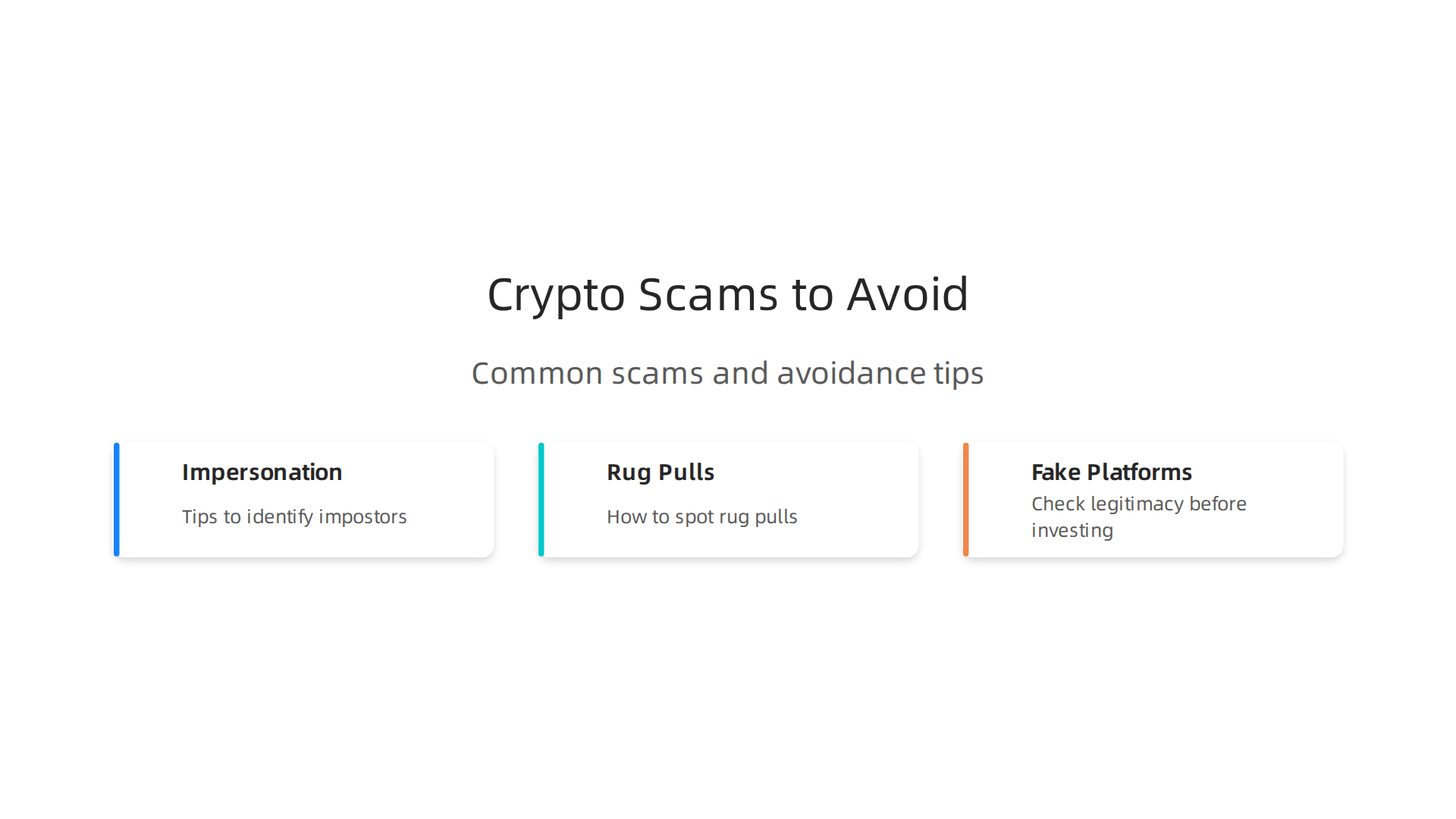
Sadly, many people lose money this way. In fact, reports show that about $17 billion was lost to crypto scams and fraud in 2025 alone. That’s a lot of money 2026 Crypto Crime Report: Scams – Chainalysis. Let’s make sure that doesn’t happen to you.
Top Beginner Errors to Skip
It’s easy to make mistakes when you’re new. Here are some common ones to watch out for:
- Sharing Your Secret Keys: Imagine your crypto wallet has a "seed phrase" or "private keys." These are like the master password to all your crypto. If someone gets these, they can take everything. Never, ever share them with anyone, not even someone who says they work for Gemini or another service. No real support person will ever ask for this.
- Believing "Too Good to Be True" Promises: If someone promises you’ll get rich super fast, or that you can double your money in a day with
gemini bitcoinor any other crypto, be very careful. These are almost always scams.
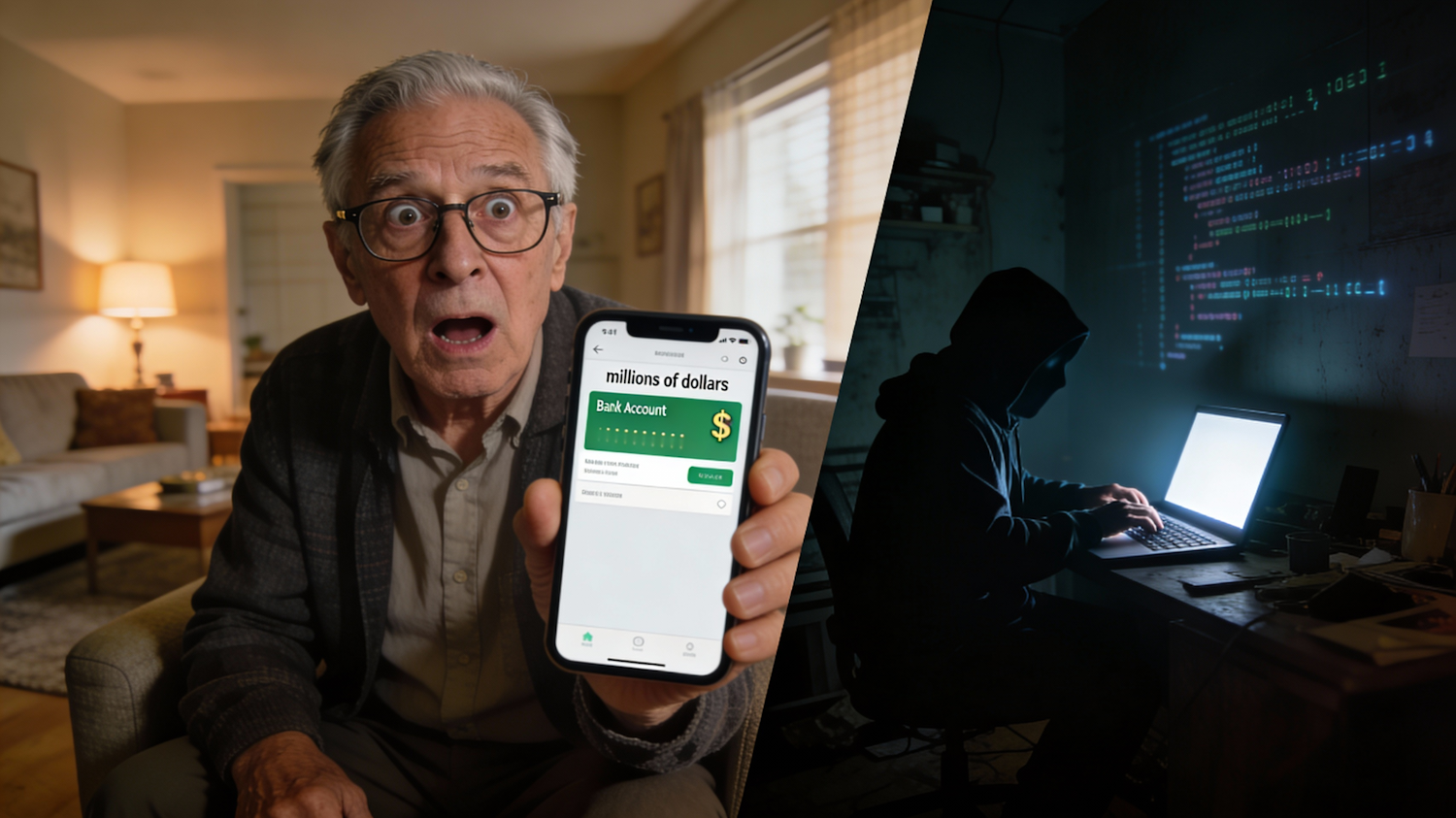
Real investments take time and always have risks.
- Clicking Bad Links and Giving Info: Scammers often send fake emails or messages that look like they’re from the
gemini crypto appor another trusted company. These links might take you to a fake website that looks real. If you put your login details or other personal info into a fake site, scammers can steal your account. Always double-check the website address before you type anything.
Typical Scam Patterns
Scammers are always trying new tricks. Here are some common ways they try to trick people:
- Impersonation Scams: This is when a scammer pretends to be someone else. They might act like a
gemini student offersupport agent, a famous crypto expert, or even a friend. They might contact you through social media, email, or even phone calls. Their goal is to get you to send them crypto or give them your account details. - "Rug Pulls": This is a tricky scam often seen with new, small cryptocurrencies. The creators of a new coin or project build excitement, get lots of people to invest their money, and then suddenly disappear with all the funds. It’s like someone pulling the rug out from under you. An estimated $500 million was lost to rug pulls in 2025 Rug Pull Statistics 2026: Shocking Data You Need Now – CoinLaw.
- Fake Investment Platforms: These look like real trading websites or apps but are totally fake. They might show you fake profits to encourage you to put in more money. But when you try to take your money out, you can’t.
- Romance Scams: Scammers build a romantic relationship with you online over weeks or months, only to eventually ask you to send them crypto for an "emergency" or a "can’t miss" investment opportunity.
What to Do If You Think You’ve Been Scammed
If you ever feel like you’ve fallen for a scam or that your gemini crypto app account is not safe, act fast!
- Stop All Activity: Do not send any more money or crypto.
- Change Passwords: Immediately change your password for Gemini and any other online accounts that use the same password. Turn on two-factor authentication if you haven’t already.
- Contact Gemini Support: Reach out to the official Gemini support team right away. They can help you understand your
gemini statusand secure your account. They might not be able to get your crypto back, but they can guide you. - Report to Authorities: You can report the scam to your local police or a cybercrime unit.
- Learn More: The best defense is knowledge. Keep learning about crypto safety.
By being careful and knowing what to look for, you can protect yourself and enjoy your crypto journey. Remember, safety always comes first. For more simple steps and safety tips on navigating the crypto world, check out our guide on crypto for beginners: what nobody tells you before you start.
Stay informed and keep your crypto safe. You can also get regular updates and guidance by subscribing to the free Clicks and Trades newsletter. It’s a great way to get clear, step-by-step advice for beginners.
Learning about crypto means you’re already doing great. After knowing what scams to avoid, the next big step is building smart, safe habits. This is where a good platform, like the gemini crypto app, can really help. It offers simple ways to learn and grow your crypto knowledge without taking big risks right away.
Smart Ways to Use the Gemini Crypto App for Learning
The best way to learn is often by doing, but safely. The gemini crypto app has tools that let you explore the crypto world with care.
- Watchlists: You can make a list of cryptocurrencies you are interested in, like
gemini bitcoinor other coins. This lets you watch their prices and see how they move over time without having to buy them. It’s like window shopping, but for crypto. It helps you understand the market before you spend any money. - Educational Resources: Many crypto apps, including Gemini, offer articles, guides, and videos to teach you the basics. These resources explain what crypto is, how it works, and how to stay safe. Taking time to read these helps you build a strong foundation. For a deeper dive into the basics, learning about what is cryptocurrency: the simple beginners guide nobody gives you can also be really helpful.
Building Safe Crypto Habits with Small Steps
You don’t need to put in a lot of money to start learning. Small, regular steps are much better.
- Recurring Buys: One great feature on the
gemini crypto appis setting up "recurring buys." This means you can decide to buy a small amount of crypto, likegemini bitcoin, every week or month. For example, you might buy just $5 worth of Bitcoin. This is called "dollar-cost averaging." It means you don’t try to guess the perfect time to buy. Instead, you buy steadily over time, which can help lower your risk. It’s a simple, set-it-and-forget-it way to slowly build up your crypto. - Starting Small: Begin with amounts you are totally okay with losing. This removes a lot of stress. You’re learning, not gambling. It’s about getting comfortable with how things work, from checking your
gemini statusto making a small trade. Think of it as practice. - Paper Trading: If you want to practice trading without any real money at all, "paper trading" is a fantastic option. It’s like a simulation where you use fake money to make trades. This lets you try out different strategies and get a feel for the market without any financial risk. It’s a key first step every beginner should consider, as explained in our guide on paper trading: the risk-free first step every beginner should take.
Finding Trustworthy Information
Always look for official and reputable sources for your crypto education. This means sticking to the official Gemini website or help center, well-known crypto news sites, and educational platforms that focus on beginner safety. Be careful about advice from social media or unknown sources, even if they claim there’s a special gemini student offer or a hot new coin. Always double-check information.
By using tools like watchlists and recurring buys, and by committing to continuous learning, you can build confidence and good habits. This makes your journey into the world of crypto much safer and more enjoyable.
For more clear, step-by-step advice on navigating the crypto world and building smart habits, consider joining the free Clicks and Trades newsletter. It’s packed with helpful tips for beginners.
Summary
This beginner-friendly guide explains how to use the Gemini crypto app to buy, sell, and store cryptocurrencies without getting overwhelmed. It covers what the app does, who it’s best for, and the step‑by‑step process to download, create, and verify your account (KYC). You’ll learn how to link a payment method, make a small test trade, read simple price charts, and use features like watchlists and recurring buys. The article also explains key security measures—strong passwords, two‑factor authentication, device checks—and the difference between custodial storage on Gemini and self‑custody wallets. Fees, withdrawal limits, and practical tips to minimize costs are covered, along with common scams to watch for and what to do if something goes wrong. By the end, readers will feel confident making safe, small trades and building good habits as they learn more about crypto.
