
Crypto.com App for Beginners Your Simple Guide to Investing Safely
Stepping into the world of cryptocurrency can feel a bit like walking into a maze. There are so many new words, ideas, and worries. You might hear about "blockchain," "NFTs," or "DeFi," and feel confused. Many people also worry about scams or losing their money because they don’t know where to start or who to trust. It’s totally normal to feel this way, especially in 2026 when things are always changing.
This guide is here to help you cut through all that noise. We’re going to talk about the Crypto.com app, a tool many people use to buy and sell digital money. Our goal is to show you how easy it can be to use this app, even if you’re an absolute beginner. You’ll learn what the Crypto.com app can do for you, from simply buying your first digital coin to understanding how to grow your crypto savings securely.
Actually, the Crypto.com app is known for letting you buy, sell, and trade over 400 different cryptocurrencies easily, making it a trusted platform for many users

[^1]. It also offers handy features like a crypto wallet, ways to track coins, and even a Visa card that links to your crypto [^2]. It’s designed to be a full platform, meaning you can do a lot with it, whether you want to just start with a small amount or really dive into crypto com invest activities [^3]. This makes it a strong contender for the best crypto app for beginners looking to learn and grow.
We will walk you through how to use the Crypto.com app without all the scary jargon. We’ll show you how to download the Crypto.com app, set it up safely, and make your first moves with confidence. Our aim is to give you clear, practical answers to your big questions about crypto safety and how to make smart choices. If you want even more step-by-step crypto education and safety tips, you can also check out the free Clicks and Trades newsletter.

It’s a great way to get extra guidance straight to your inbox.
Learning about cryptocurrency doesn’t have to be hard or scary. With the right guidance, you can feel confident and in control.

Ready to learn more about safe crypto investing?
Sign Up
Overview: What the Crypto.com app actually does (simple terms)
So, you’ve heard about the Crypto.com app and want to know what it really does. Think of it as your friendly helper for all things crypto. It’s built to make it simple for anyone, even if you’re just starting out in 2026. This app is often called one of the best crypto apps for beginners because it has lots of useful tools all in one place.
Here’s a simple look at what the Crypto.com app can do for you:
- Buy and Sell Crypto Easily: This is the main thing most people use the Crypto.com app for.
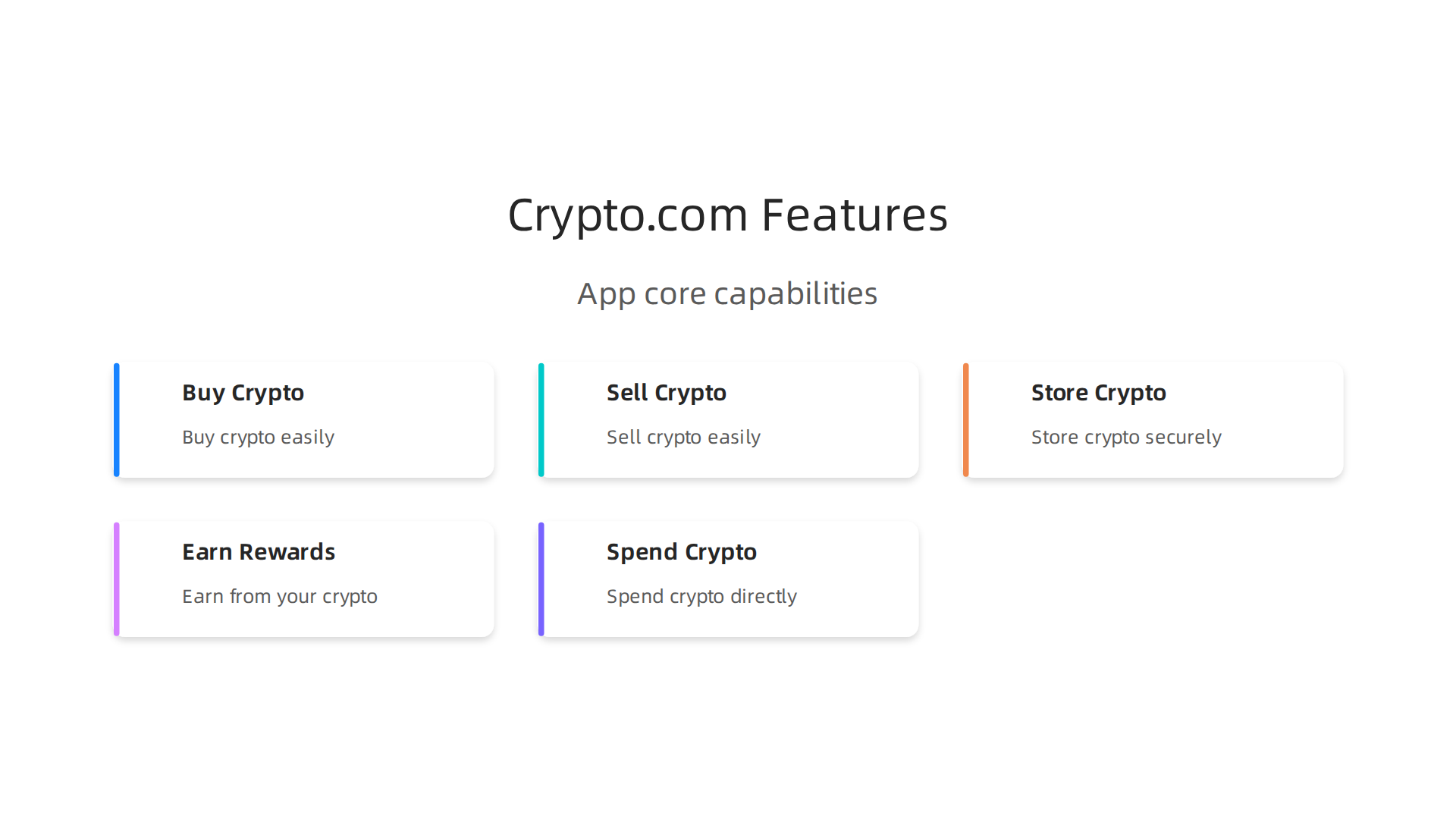
You can buy, sell, and trade over 400 different kinds of digital money, like Bitcoin and Ethereum [^3]. It’s like a digital marketplace in your pocket, making it simple to start your [crypto com invest] journey.
- Keep Your Crypto Safe (Wallet): The app has a secure place, often called a crypto wallet, where you can store all your digital coins [^2]. It helps keep your money safe until you’re ready to use it or sell it.
- Grow Your Crypto Savings (Earn): Did you know you can sometimes earn more crypto just by holding it? The Crypto.com app offers ways for you to do this, like "staking" or "earn" programs. You basically lend out your crypto, and in return, you get paid more crypto, much like how a bank pays you interest. If you want to learn more about this, we have a helpful guide on crypto staking what nobody tells you before you start.
- Spend Crypto in Real Life (Visa Card): One super cool feature is the Crypto.com Visa Card. It’s a special debit card that lets you spend your cryptocurrency at stores and online, just like a regular card [^2]. It’s a great way to use your digital money for everyday things.
- Track Your Coins: The app lets you keep an eye on how your different cryptocurrencies are doing [^2]. You can see their prices change and track your investments, which is really handy for making smart choices.
- Connect to a Bigger World: The Crypto.com app is part of a larger family of services from Crypto.com. While the app is great for beginners, it also connects to more advanced tools if you ever want to explore them. These include the Crypto.com Exchange for serious traders or the Crypto.com DeFi Wallet for even more control over your digital assets [^6]. You can even find news about new products and features coming to the app and the wider Crypto.com world in 2026 [^7].
In short, the Crypto.com app download brings a powerful yet easy-to-use tool to your phone. It’s designed to give you everything you need to confidently step into the world of digital money.
For more simple explanations and safety tips on how to use apps like this, consider signing up for the free Clicks and Trades newsletter. It’s a great way to get extra guidance straight to your inbox.
Ready to take the next step in your crypto journey?
Now that you know what the Crypto.com app does, let’s get you started. It’s really simple to set up your account, make your first purchase, and understand the basic safety checks. Think of this as your easy guide to starting your crypto com invest journey in 2026.
Here’s how you can begin:
Step 1: Get the Crypto.com App
First things first, you need to get the app on your phone.
- Go to your phone’s app store (like Google Play for Android or the App Store for iPhones).
- Search for "Crypto.com App."
- Download and install the app [^3].
Step 2: Make Your Account
Once the app is on your phone, open it up.
- You’ll need to enter your email address to sign up [^3].
- Then, you’ll get an email to help you move forward.
- Next, you’ll set up a secure passcode or use your fingerprint to keep your account safe [^1]. This is like your secret key for the app.
- Some links might even give you a special bonus when you sign up, which is a nice perk for starting out!
Step 3: Verify Your Identity (KYC Basics)
This step is very important for safety and rules. It’s called KYC, which means "Know Your Customer."
- Crypto.com needs to make sure you are really you [^2]. This helps prevent bad stuff like fraud and keeps your money safe.
- You will usually need to take a picture of your government ID (like a driver’s license or passport) and sometimes a selfie of yourself [^2]. The app will guide you through this clearly.
- Don’t worry, this is a normal step for almost all trusted crypto apps and banks today.
Step 4: Buy Your First Crypto
Once your account is set up and verified, you’re ready to make your first crypto com invest.
- Add Money: You need to put some regular money into your Crypto.com app. You can usually do this by connecting your bank account, or by using a debit or credit card [^4].
- Choose Your Crypto: Tap on the "Buy" button in the app. You’ll see a long list of cryptocurrencies. For beginners, it’s often smart to start with popular ones like Bitcoin (BTC) or Ethereum (ETH). If you want to learn more about what cryptocurrencies are, check out our simple guide on what is cryptocurrency the simple beginners guide nobody gives you.
- Place Your Order: Type in how much money you want to spend, and the app will show you how much crypto you’ll get. Double-check everything, then confirm your purchase.
That’s it! You’ve just bought your first cryptocurrency using the Crypto.com app. It truly is one of the best crypto apps for beginners because it makes these steps so easy to follow.
For even more easy-to-follow steps and tips on how to invest safely in crypto, you can also explore the free Clicks and Trades newsletter, which shares simple guides for beginners. It’s a great way to get extra help straight to your inbox.
Ready to learn more and make smart choices? Sign Up
Okay, you’ve taken the first big steps with the Crypto.com app and even made your first crypto com invest. That’s awesome! Now, let’s talk about keeping your new digital money safe. Think of this as putting a strong lock on your digital wallet. Security is super important in the world of crypto, perhaps even more than in regular banking, because you are often your own bank.
Security Essentials: Passwords, 2FA, Wallet Custody, and Spotting Scams
Keeping your crypto safe isn’t hard, but it does need your attention. Here are the main things you need to know and do in 2026.
Strong Passwords and Passcodes
You already set up a passcode or fingerprint for your Crypto.com app. That’s your first line of defense! Always make sure your passcodes are strong and unique. Never use easy-to-guess numbers like your birthday. Treat your password like a secret only you know.
Turn On Two-Factor Authentication (2FA)
This is a must-do for any important online account, especially for your crypto.com app. Two-Factor Authentication, or 2FA, means you need two ways to prove you are you when you log in or make a big move. It’s like having two keys to open a safe. You might use your password (first key) and then a special code from another app on your phone (second key). This makes it much harder for bad guys to get into your account, even if they somehow guess your password [^15].
Keep Your Device Safe
Your phone is your gateway to your crypto. So, keep it safe.
- Always update your phone’s software.

These updates often fix security problems.
- Only download apps from official app stores.
- Be careful about connecting to public Wi-Fi networks when checking your crypto.
Understanding Crypto Wallets: Custodial vs. Non-Custodial
When you keep crypto, it’s held in something called a "wallet." But there are different kinds.
-
Custodial Wallet (Like Crypto.com App): With a custodial wallet, a company like Crypto.com holds your crypto for you. They manage the special keys that prove you own your crypto. It’s similar to how a regular bank holds your money. You trust them to keep it safe. This is what you use with the Crypto.com app. Many people find this easier because you don’t have to worry about losing your keys. However, it means you rely on the company’s security [^8]. Consumer protection is a big focus for regulators in 2026 to ensure companies keep assets safe [^7].
-
Non-Custodial Wallet: With a non-custodial wallet, you hold all the keys. This means you have full control, but also full responsibility. If you lose your keys (usually a long secret phrase), no one can help you get your crypto back [^12]. Some call these "self-custodial" wallets. For beginners, a non-custodial wallet can feel a bit more complicated, so starting with a trusted platform like the Crypto.com app is often recommended as the best crypto app for beginners.
How to Spot Scams
Sadly, not everyone in the crypto world is honest. You need to be smart about spotting scams.
- Too Good to Be True: If an offer promises huge returns with no risk, it’s almost certainly a scam.
- Pushy Messages: Watch out for messages that demand you send crypto right away or threaten you.
- Fake Support: Scammers often pretend to be customer support from real companies. Crypto companies will never ask for your passwords or private keys.
- Unknown Links: Never click on links in emails or messages if you don’t know who sent them. Fraudsters often use tricky websites to steal your info. Lawmakers are working to protect consumers from these kinds of scams, especially those involving digital asset kiosks [^1].
By following these simple security steps, you’ll make your crypto com invest journey much safer and more enjoyable. Knowing the basics of what is cryptocurrency is good, but knowing how to keep it safe is even better. If you want to dive deeper into general crypto safety, you can always check out our guide on crypto for beginners: what nobody tells you before you start.
For more simple tips and guides on how to invest safely and smartly in crypto, consider subscribing to the free Clicks and Trades newsletter. It’s a fantastic resource for beginners looking for clear, trustworthy information.
Ready to learn more and make smart choices? Sign Up
To keep your crypto com invest journey smooth, it’s good to know about the money side of things. Just like with a regular bank, using the Crypto.com app comes with some costs and cool features. Knowing these helps you make smart choices in 2026.
How Fees Work on the Crypto.com App
When you use the Crypto.com app, you might see different kinds of fees. These are small amounts charged for certain actions. They help keep the service running and secure.
- Buying and Selling Crypto: When you buy or sell cryptocurrencies, there are usually trading fees. These can be a small percentage of what you are buying or selling. The Crypto.com app makes it easy to buy over 400 different cryptocurrencies [^3]. These fees help make the buying and selling process work.
- Sending Crypto: If you send crypto from your Crypto.com app to another wallet, there might be a small network fee. This fee goes to the people who help run the crypto network, not always to Crypto.com itself.
- Using the Crypto.com Visa Card: The Crypto.com app also offers a Visa card that lets you spend your crypto in real life [^4]. When you use this card, especially for spending in a different currency than your crypto, there might be fees for converting your money. However, many find this card a handy way to use their digital funds [^27].
Features That Add Value
Beyond just buying and selling, the Crypto.com app has other features that can help your crypto com invest grow.
- Crypto Earn: This feature lets you put your crypto to work. You can lend out certain cryptocurrencies and earn rewards on them, much like earning interest in a savings account. It’s a way to get more crypto simply by holding what you have [^4]. Think of it as a small bonus for keeping your digital assets in the app.
- Staking: Another popular feature is staking. With staking, you lock up some of your crypto for a certain time. This helps support the network of that crypto, and in return, you earn more crypto as a reward [^21]. Many people like staking because it offers a way to earn around 3% to 20% in rewards each year, depending on the coin and platform [^22]. However, remember that when you stake, your crypto is locked up, so you can’t easily sell it right away. This can be a trade-off: higher potential earnings, but less flexibility. If you want to dive deeper, our guide on crypto staking: what nobody tells you before you start can help.
The Crypto.com app is known for offering these many features, which is why it’s often considered a strong choice for beginners looking to invest in crypto [^5]. They make managing your digital money simpler and give you more options for your crypto com invest.
To get more simple tips and learn how to make smart choices for your crypto journey, you might enjoy the free Clicks and Trades newsletter. It gives clear, trustworthy information for people just starting out.
Ready to learn more and make smart choices? Sign Up
If you’re looking to make your crypto com invest grow, features like "Crypto Earn" and "staking" on the Crypto.com app can seem really appealing. They let you get more crypto just by holding what you already have. But like anything in the world of money, it’s super important to know both the good parts and the parts that can be tricky.
How Earning and Staking Work
Think of Crypto Earn on the Crypto.com app like a special savings account for your digital money. You put your crypto in, and over time, you get more crypto added to it, like earning interest. It’s a simple way to get a little extra without doing much.
Staking is a bit different. When you stake your crypto, you are helping to run a special kind of crypto network. It’s like lending your support to make sure transactions happen smoothly and safely. In return for your help, the network gives you more crypto as a reward. In 2026, people can earn rewards from staking that range from about 3% to 20% each year, but this really depends on the crypto coin and where you stake it [^3]. The Crypto.com app makes it easier for beginners to get into staking.
Risks Beginners Often Miss
While earning and staking can be a smart way to grow your crypto, there are important things to know so you don’t get surprised.
- Your Crypto Gets Locked Up: This is a big one.
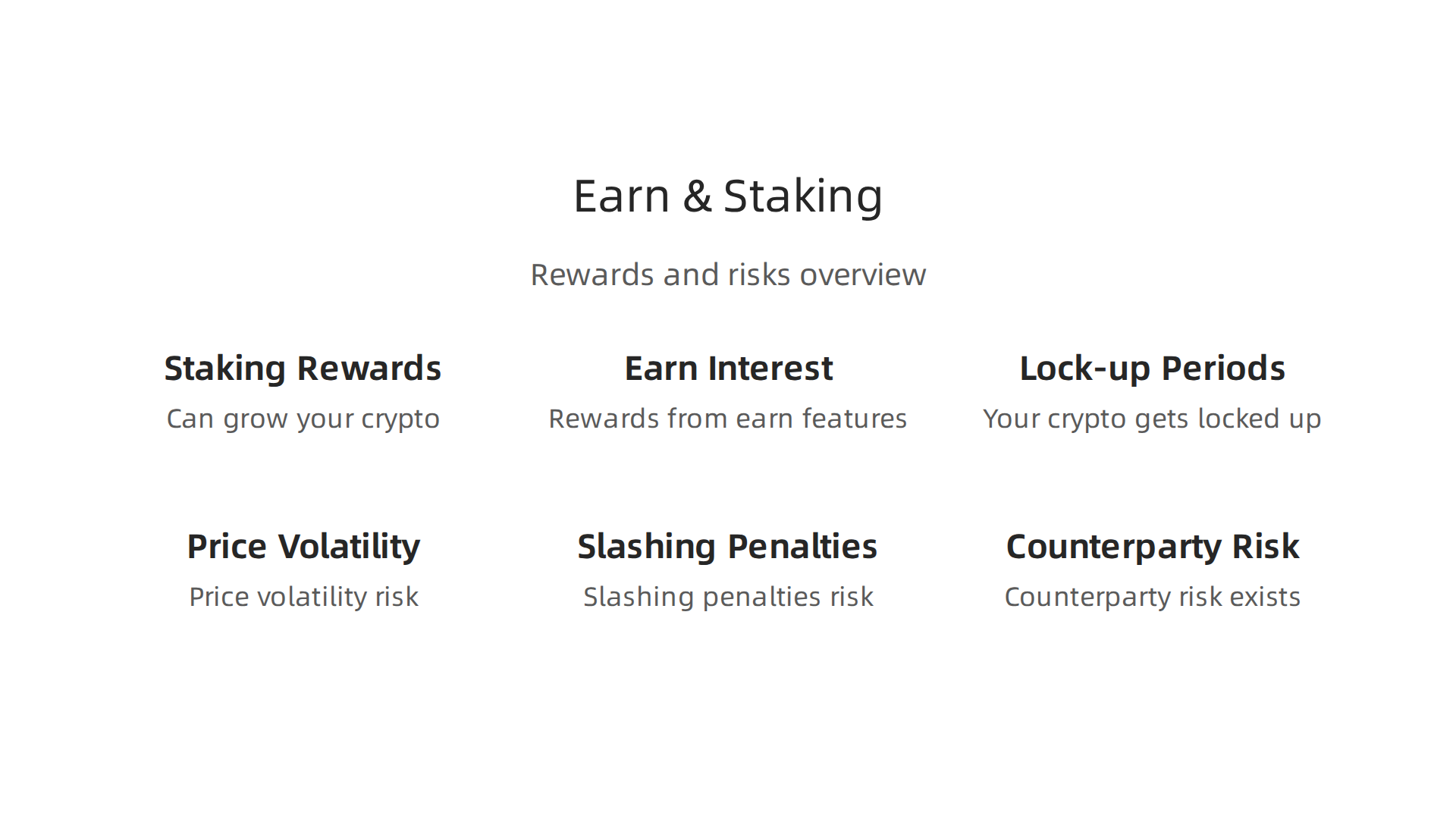
When you stake or put crypto into an "earn" program, you often can’t touch it for a set time. This is called a "lock-up period." It means you can’t sell your crypto quickly if you need to, or if the price starts to fall. If you’re new to crypto, this can be a tough lesson.
- Price Can Still Go Down: Even if you’re earning more coins, the value of those coins can drop. Imagine earning more apples, but then the price of each apple goes way down. Your total investment might still be worth less in regular money. Crypto prices can change a lot, very quickly [^5].
- Slashing Penalties: For staking, sometimes if something goes wrong with the network or the company handling your staked crypto, you could lose some of your original staked amount. This is known as "slashing" and it’s a way the network keeps things fair [^1].
- Trusting the Platform (Counterparty Risk): When you use the Crypto.com app or any other platform for staking, you’re trusting them to keep your crypto safe. If something bad happens to the platform, your crypto could be at risk [^2]. It’s always a good idea to only use trusted platforms for your crypto com invest.
Understanding these risks is just as important as knowing about the rewards. It helps you make smarter choices for your crypto journey in 2026. If you want to dive deeper and truly understand the ins and outs of staking before you start, our guide on crypto staking: what nobody tells you before you start can offer more helpful details.
For even more simple, trustworthy tips and clear guidance on safely navigating your crypto com invest, the free Clicks and Trades newsletter can be a great resource.
Ready to learn more and make smart choices? Sign Up
Even if you’re careful with your crypto, sometimes things can go wrong. Maybe you can’t log in, or you see something that looks like a scam. Knowing what to do in these situations is super important to protect your "crypto com invest" and keep your digital money safe on the Crypto.com app.
Getting Back into Your Crypto.com App Account
If you forget your password or get locked out of your account on the Crypto.com app, don’t worry. There are clear steps to follow. First, use the "Forgot Password" option on the login screen. You’ll likely need to verify who you are, which might mean using your email or phone number. This identity check is a key part of keeping your account secure.
For more help, you should always go straight to the official customer support channels listed on the Crypto.com website or within the app itself. The Crypto.com team has helpful guides on how to set up and manage your account, including tips for keeping it safe from the start [^12]. Remember, a trusted platform like the Crypto.com app helps you protect your funds, but you still play a big role.
Spotting and Reporting Scams
In 2026, many people are interested in crypto, but sadly, bad actors try to trick newcomers. Scammers often pretend to be from well-known crypto companies or offer deals that sound too good to be true. They might send fake emails or messages asking for your login details or private keys. They could also promise huge returns on your "crypto com invest" if you send them money first.
Here’s how to spot common scams:
- Urgent Requests: Scammers often try to make you act fast without thinking.
- Too Good to Be True: If an offer promises guaranteed high profits with no risk, it’s probably a scam.
- Asking for Private Info: Never share your passwords, two-factor authentication codes, or wallet recovery phrases with anyone.
- Fake Websites/Apps: Always check that you’re on the official Crypto.com app or website. Some criminals make fake sites that look real to steal your info.
If you suspect a scam or phishing attempt related to the Crypto.com app, report it immediately to their customer support. This helps them protect other users too. It’s important to know that consumer protection in the crypto world is growing, with some laws being updated in 2026 to help protect users [^1, ^5]. Even so, personal vigilance is your first line of defense. Older adults, for instance, are often targets for fraud involving crypto, especially when using things like crypto ATMs [^3].
Keeping Your Crypto Safe (Quick Reminders)
To keep your "crypto com invest" safe, always use strong, unique passwords for your Crypto.com app and enable two-factor authentication (2FA). This adds an extra layer of security. Make sure you only use the official "crypto.com app download" from your phone’s app store.
For more simple, trustworthy tips and clear guidance on safely navigating your crypto journey, the free Clicks and Trades newsletter can be a great resource. You can learn more about how to navigate the crypto world and avoid common pitfalls.
Ready to learn more and make smart choices? Sign Up
Compare and Decide: When the Crypto.com App is a Good Fit, and When to Consider Alternatives
Choosing the right place for your "crypto com invest" is a big step, and while the Crypto.com app is a popular choice, it’s smart to think about what other options are out there.

Different apps and platforms have different strengths, and what’s best for you depends on what you want to do with your crypto.
Let’s look at a few simple things to help you decide:
Simple Comparison Criteria
- Security: How safe is the app? The Crypto.com app uses strong security features like two-factor authentication (2FA) and keeps most customer funds in "cold storage," meaning it’s offline and harder for bad actors to reach. Many trustworthy apps focus on similar security practices. In 2026, rules are also getting better to help keep crypto users safe, with new laws aiming to protect consumers [^1, ^5].
- Fees: How much do you pay to buy, sell, or trade crypto? Some apps have higher fees than others. It’s important to check these costs because they can add up, especially if you trade often.
- Ease-of-Use: Is the app simple to understand and use, especially for new users? The Crypto.com app is often seen as a "best crypto app for beginners" because its design makes it easy to navigate. Other platforms might be more complex, made for experienced traders.
- Supported Services: What can you actually do on the app?
- Buying and Selling: All crypto apps let you do this, but some offer more types of cryptocurrencies.
- Staking: This lets you earn rewards by holding certain cryptocurrencies. Staking has become very popular in 2026, offering ways to grow your crypto with rewards that can range from 3% to 20% each year, but it also has its own risks [^10, ^11]. Many platforms, including the Crypto.com app, offer staking options. If you’re interested in earning more from your crypto, learning about crypto staking can be very helpful.
- Other Features: Some apps offer advanced trading tools, crypto loans, or special crypto credit cards.
Practical Scenarios: Who is the Crypto.com App For?
- For Casual Buyers and Beginners: If you’re just starting out and want to buy your first bit of crypto, the Crypto.com app is a great choice. It’s easy to get started, and the "crypto.com app download" process is straightforward from your phone’s app store. Its simple interface makes it easy to make your first "crypto com invest" without feeling overwhelmed. This platform aims to make learning about what is cryptocurrency easier for everyone.
- For Active Traders: If you plan to buy and sell crypto often, you might want to look into other platforms that offer more advanced trading tools, like detailed charts and different order types. While the Crypto.com app does offer trading, some dedicated trading platforms might have lower fees for frequent trades or more features for seasoned traders.
- For Savers and Stakers: If your main goal is to hold your crypto for a long time and earn rewards through staking, the Crypto.com app has good options. You can put your crypto to work and potentially earn more over time. But remember, staking isn’t without risks, like the value of your crypto going down or specific platform risks [^9, ^13].
In the end, the "best crypto app for beginners" or for anyone, really, is the one that fits your personal needs and comfort level. Before you jump in, it’s always smart to compare a few options.
For more simple, trustworthy tips and clear guidance on safely navigating your crypto journey, the free Clicks and Trades newsletter can be a great resource. You can learn more about how to navigate the crypto world and avoid common pitfalls with practical advice. You can also explore more educational content from Clicks and Trades to build your confidence.
Ready to learn more and make smart choices? Sign Up
Summary
This guide explains how the Crypto.com app works for beginners, walking you from download to your first crypto purchase while breaking down key features in plain language. It covers the app’s core functions—buying, selling, wallet custody, price tracking, Visa card spending, Crypto Earn and staking—so you know what tools are available. The article also explains important safety steps such as setting strong passwords, enabling two-factor authentication, and understanding the difference between custodial and non-custodial wallets. You’ll learn how fees and staking rewards typically work, what lock-up periods and slashing risks mean, and practical tips to spot and report scams. Finally, it helps you decide when Crypto.com fits your needs versus other platforms and what to do if you lose account access, with a pointer to continued learning via the Clicks and Trades newsletter.
